
Aitomic research brief
What this guide covers
A workflow-first guide to using AI for productivity at work, including real scenarios, management mistakes, and how to measure results honestly.
Who this is for: Managers, founders, operators, and knowledge workers deploying AI in teams.
Why this topic is urgent in 2026
Productivity is one of the biggest reasons people search for AI. The challenge in 2026 is no longer access to tools; it is designing workflows that produce reliable output without creating hidden rework.
Headline numbers to know
| Leaders under pressure to increase output | Strong signal in workplace surveys |
| Organizations using AI in at least one function | High and rising |
| Enterprise AI use (any function) | 78% |
| Public concern remains high | 50% more concerned than excited |
The fastest productivity wins are not where most teams start
Many teams start by asking employees to ‘use AI more.’ That usually produces inconsistent results because the workflows, quality standards, and review expectations are not defined.
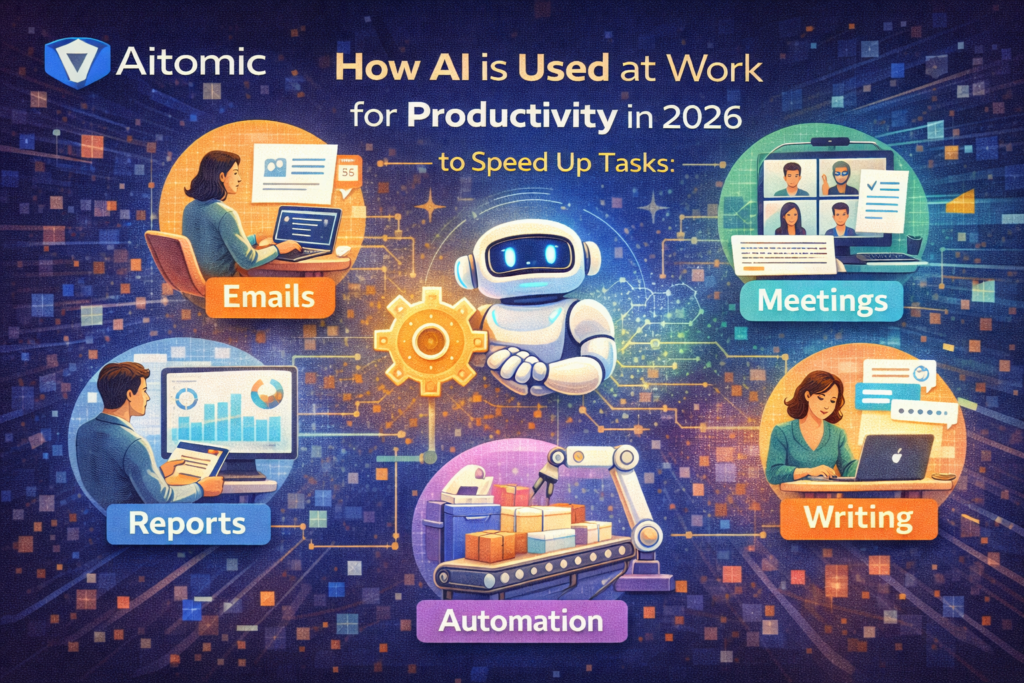
The best productivity gains usually come from process bottlenecks: meeting notes, customer-response drafts, research summaries, proposal templates, ticket routing, and repetitive data cleanup.
In other words, AI works best when attached to a recurring task with a measurable before/after result.
A practical AI productivity stack for a small team
You do not need a complex enterprise platform to see value. Most teams can start with a secure chat assistant, a document workspace, clear prompts, and a review checklist.
The key is consistency: standard prompt templates, naming conventions, approved use cases, and a shared definition of ‘done.’ Without that, speed gains get lost in editing and corrections.
- Approved use cases list (what AI is for, and what it is not for).
- Prompt templates per workflow (email, summary, proposal, research brief).
- Human review standards for customer-facing and factual content.
- Simple tracking for time saved and error/rework rates.
Where teams usually overestimate AI
The most common mistake is counting draft speed as finished work. A faster draft is helpful, but if editing and fact-checking explode, total throughput may not improve.
Another mistake is forcing AI into workflows that are actually process problems. If roles are unclear or data quality is poor, AI may amplify confusion instead of removing it.
McKinsey’s workplace research is especially useful here because it repeatedly points back to operating model and management choices, not just model capability.
How to measure productivity gains honestly
A real AI productivity measurement should include cycle time, quality, rework, approval latency, and handoff failures. If you only count time-to-first-draft, you will overstate the impact.
Start with one workflow, establish a baseline, test for 2-4 weeks, and review outcomes weekly. Expand only when the gain is repeatable and the error profile is understood.
This approach is slower than a company-wide announcement, but it creates a reliable system instead of temporary excitement.
What employees need from leadership
Teams need clear permission and clear boundaries. They need to know which tools are approved, what data is allowed, and what review is expected.
They also need training that goes beyond prompting tricks. Teach task design, verification, and escalation criteria. That produces better outputs than prompt engineering alone.
For this guide, I treat survey responses and published ‘in their own words’ feedback as the closest thing to scalable testimony. That is more reliable than anonymous claims because readers can trace the source and see the original methodology.
How to interpret job impact claims responsibly
The most reliable way to use this guide is to treat it as a decision framework for AI productivity at work, not as a fixed prediction. AI markets, products, and public narratives move quickly, so your advantage comes from having a repeatable way to evaluate claims.
For this topic, start with a workflow-based test and a source-based verification pass. Map roles into tasks, then track which tasks speed up, which require more review, and which create new skill expectations.
Common mistakes to avoid
- Treating AI impact as an all-or-nothing replacement story.
- Focusing on tool usage instead of workflow redesign and training.
- Ignoring employee fear signals while expecting immediate adoption.
What to monitor over the next 12 months
- Task-level changes in your own org before making structural staffing assumptions.
- New role expectations around verification, supervision, and quality control.
- Training needs that emerge as AI compresses routine work.
Evidence interpretation: what the numbers really mean
Most AI articles list figures without explaining how to use them. This section translates the headline numbers into decision signals and shows where readers often overinterpret the data.
How to read the headline figures
Leaders under pressure to increase output
Leaders under pressure to increase output = Strong signal in workplace surveys. Use this as a directional signal from Microsoft Work Trend Index 2025, not as a standalone conclusion. The practical question is what behavior it should change in your workflow, budget, or risk controls.
Organizations using AI in at least one function
Organizations using AI in at least one function = High and rising. Use this as a directional signal from McKinsey State of AI 2025 / Stanford AI Index 2025, not as a standalone conclusion. The practical question is what behavior it should change in your workflow, budget, or risk controls.
Enterprise AI use (any function)
Enterprise AI use (any function) = 78%. Use this as a directional signal from Stanford HAI AI Index 2025, not as a standalone conclusion. The practical question is what behavior it should change in your workflow, budget, or risk controls.
Adoption figures indicate widespread experimentation and deployment pressure, but they do not tell you whether those deployments are high quality, well governed, or profitable.
Public concern remains high
Public concern remains high = 50% more concerned than excited. Use this as a directional signal from Pew Research (Apr 2025), not as a standalone conclusion. The practical question is what behavior it should change in your workflow, budget, or risk controls.
Sentiment figures matter because trust affects adoption and content performance. In practice, readers and buyers now expect AI guidance to address risks and controls, not just productivity upside.
Workforce adaptation playbook
This is the implementation layer. The goal is to turn the topic into a repeatable workflow, pilot, or decision process you can run in the next 1-4 weeks.
Phase 1: Map the workflow and the risk
- Identify the exact workflow affected (research, drafting, search, support, triage, decision support).
- Define the highest-consequence failure mode (wrong fact, privacy leak, bad recommendation, overtrust).
- Set review requirements based on impact, not convenience.
Phase 2: Build a bounded process
- Create an approved tool list and task-specific examples.
- Require evidence or source checks for factual outputs where appropriate.
- Teach users what AI can do in this workflow and what requires escalation.
Phase 3: Measure and improve
- Track cycle time, quality, and rework together.
- Review incidents/failures monthly and update prompts plus process controls.
- Re-audit the workflow when tools, policies, or stakes change.
Context matters: workforce impact is uneven
Individual user
Your main leverage is verification discipline and source quality. Your main risk is overtrust or oversharing while trying to move fast.
Small business
Keep the system simple: approved tools, clear use cases, and lightweight review rules. Complexity slows adoption and increases shadow usage.
Enterprise or regulated team
Auditability, permissions, and incident handling become part of the product. Workflow design around the model matters as much as the model itself.
Practical examples
These are decision-oriented examples to help you apply the topic in a real workflow instead of treating AI as a generic trend.
- Executive assistant workflow: AI drafts meeting summaries and action lists, but a human verifies owners and deadlines before sending.
- Sales operations: AI turns CRM notes into next-step suggestions and email drafts, reducing manual recap work.
- Customer support triage: AI classifies tickets and proposes responses; senior agents review edge cases and policy-sensitive replies.
- Marketing production: AI creates outline and first-draft variants for landing pages while editors keep brand voice and claims compliant.
Next-step checklist
- Pick one recurring workflow and define a baseline metric (time, accuracy, rework).
- Set approved tools and data-sharing rules before rollout.
- Create prompt templates and examples for the specific workflow.
- Add review criteria for quality, factuality, and tone.
- Audit failures weekly and update the workflow, not just prompts.
FAQs
What is the best first AI productivity use case for a small team?
Start with a repetitive drafting or summarization task where output quality is easy to review and cycle time is easy to measure.
How do we prevent staff from over-trusting AI outputs?
Define review requirements by risk level, require source checks for factual content, and audit common mistakes as a team.
Should every role use the same AI tool?
Usually no. A shared baseline tool can help, but different workflows often need different tools or configurations.
Research notes and sources
This article was written as a practical guide using public reports, official documentation, and pricing pages. Pricing and product features can change; verify current details on the official pages before acting.
Figure sources used in this article
- Leaders under pressure to increase output: Microsoft Work Trend Index 2025
- Organizations using AI in at least one function: McKinsey State of AI 2025 / Stanford AI Index 2025
- Enterprise AI use (any function): Stanford HAI AI Index 2025
- Public concern remains high: Pew Research (Apr 2025)
Why these sources were used
- Google Trends (US) – Artificial Intelligence Search Trends (https://trends.withgoogle.com/trends/us/artificial-intelligence-search-trends/?hl=en-US) – Trend exploration for the user’s market context (United States).
- Microsoft Work Trend Index 2025 – The Year the Frontier Firm Is Born (https://www.microsoft.com/en-us/worklab/work-trend-index/2025-the-year-the-frontier-firm-is-born) – Used for workplace AI behavior and management framing.
- McKinsey – Superagency in the workplace (https://www.mckinsey.com/mgi/our-research/superagency-in-the-workplace-empowering-people-to-unlock-ais-full-potential-at-work) – Used for practical workplace adoption patterns and execution realities.
- McKinsey – The state of AI (2025) (https://www.mckinsey.com/capabilities/quantumblack/our-insights/the-state-of-ai) – Used for enterprise adoption and governance themes.
- Stanford HAI – AI Index Report 2025 (https://hai.stanford.edu/ai-index/2025-ai-index-report) – Used for investment, adoption, and broad market evidence.
- Pew Research Center – How Americans view AI and its impact (2025) (https://www.pewresearch.org/short-reads/2025/04/03/how-americans-view-ai-and-its-impact-on-people-and-society/) – Used for public sentiment and concern/excitement balance.
- NIST – AI Risk Management Framework (https://www.nist.gov/itl/ai-risk-management-framework) – Used for governance, risk, and deployment controls.
- Google Trends (US) – Artificial Intelligence Search Trends
- Microsoft Work Trend Index 2025 – The Year the Frontier Firm Is Born
- McKinsey – Superagency in the workplace
- McKinsey – The state of AI (2025)
- Stanford HAI – AI Index Report 2025
- Pew Research Center – How Americans view AI and its impact (2025)
- NIST – AI Risk Management Framework
Explore More on Aitomic
Related reads
- Best AI Productivity Tools (2026)
- Adobe Firefly Review (2026): Pricing, Features, Pros & Cons
- AI and Data Privacy Risks in 2026: What Happens to Your Data and How to Use AI More Safely
- AI and Job Displacement in 2026: What Changes First, What Grows, and How to Adapt
- AI as a Search Engine in 2026: When to Use Chatbots vs Traditional Search
- AI for Mental Health Support in 2026: What It Can Help With, What It Cannot Replace